1. Upload Image
Click or Drag Image Here
JPG or PNG • Max 10MB
2. Select Grid Layout
Total split pieces: 3
3. Live Preview
Upload image to preview grid structure
Export your cut layout files seamlessly
Split images into grid posts
Total split pieces: 3
Export your cut layout files seamlessly

In today’s visually-driven social media landscape, your Instagram Profile serves as your digital storefront. With over 2 Billion Active Users standing out on Instagram requires more than just posting great content — it demands strategic visual planning. Our Instagram Grid Maker is a sophisticated online tool designed to help you create stunning, cohesive Instagram Grid Layouts that captivate your audience and elevate your profile aesthetic. Whether you’re an influencer, business owner, artist, or casual user looking to enhance your Instagram Presence this powerful Instagram Grid Generator provides the functionality you need to transform your feed from ordinary to extraordinary.
Download free Instagram grid templates at Gdgraphic.Com →
https://gdgraphic.com/instagram-grid-maker/

The Instagram Grid refers to the 3×3 Matrix Of Posts visible when someone visits your profile. This layout creates a collective visual impression that often determines whether visitors will hit the “Follow” button. A well-planned Instagram Grid Layout tells a story, establishes brand identity, and creates visual harmony that keeps followers engaged. Our Instagram Grid Maker helps you see the bigger picture — literally — by allowing you to plan and execute complex Grid Designs that work together as a unified visual experience.
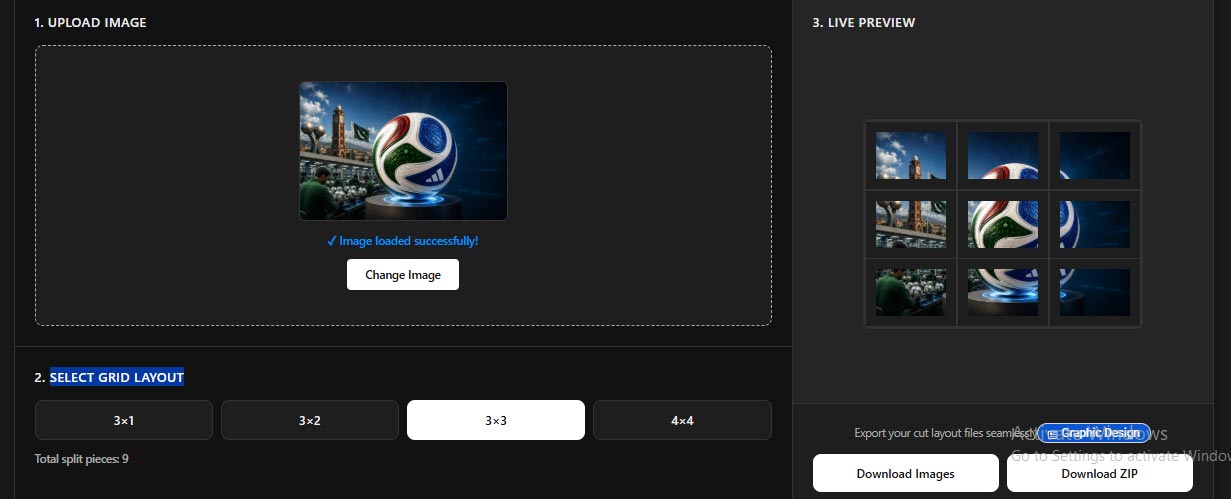
Using Instagram Grid Maker Tools:
Increases profile visitation time as visitors explore grids that form larger images
Boosts follow rates when visitors see visually appealing, cohesive profiles
Enhances brand recognition through consistent grid themes and aesthetics
Improves engagement metrics with grid posts receiving higher likes, comments, and shares
Saves time by automating the complex process of splitting images.
Creates visual storytelling opportunities through narrative sequences across your feed
Whether you’re creating Insta Grid designs for business or personal branding, you’ll find features that match your creative vision.
Let’s explore the best Instagram Grid Generator features available:
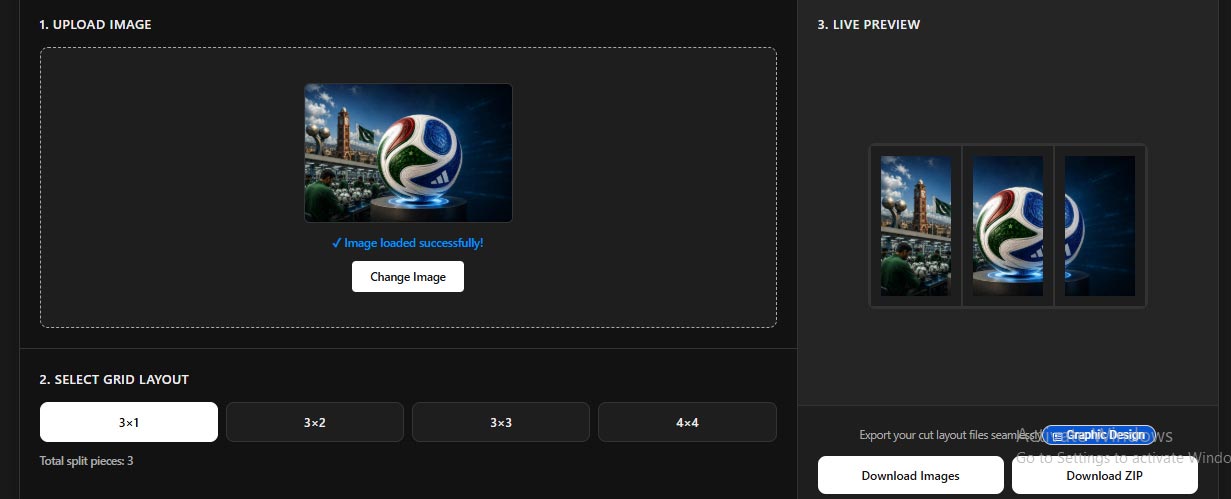
Perfect for creating panoramic views or horizontal storytelling across your feed. Ideal for landscapes, text-based stories, and sequential content that spans three posts.
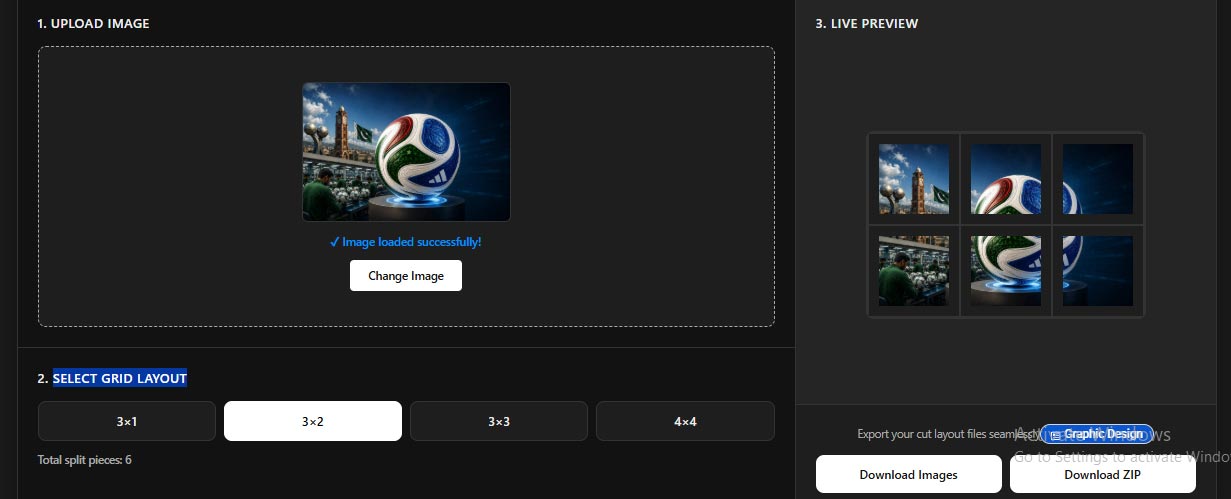
Ideal for medium-complexity designs and multi-part visual narratives. Great for before-and-after sequences or product showcases across six posts.
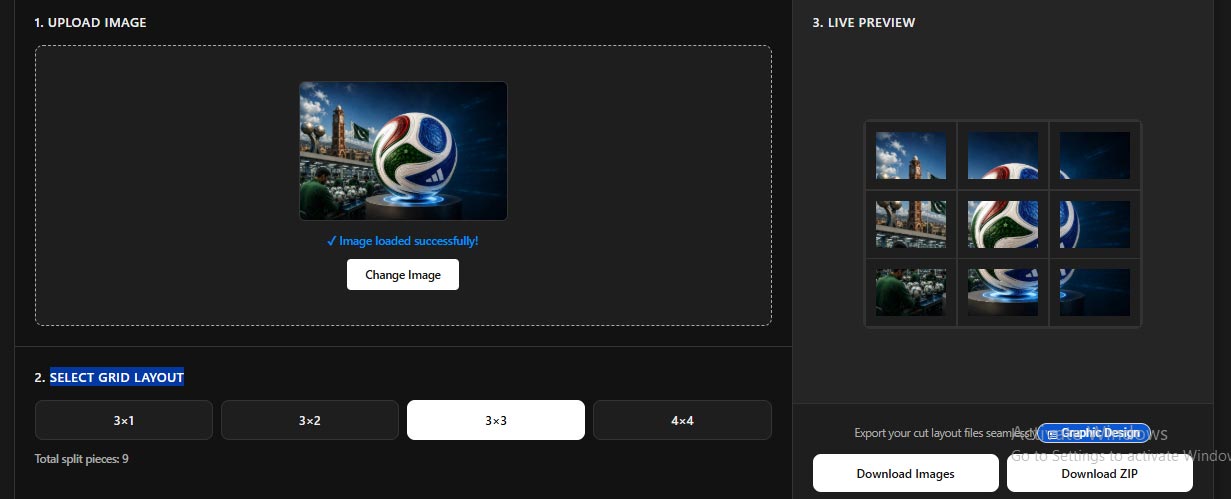
The classic Instagram Grid — perfect for intricate designs and complete picture puzzles. The traditional choice for creating larger images across nine posts.
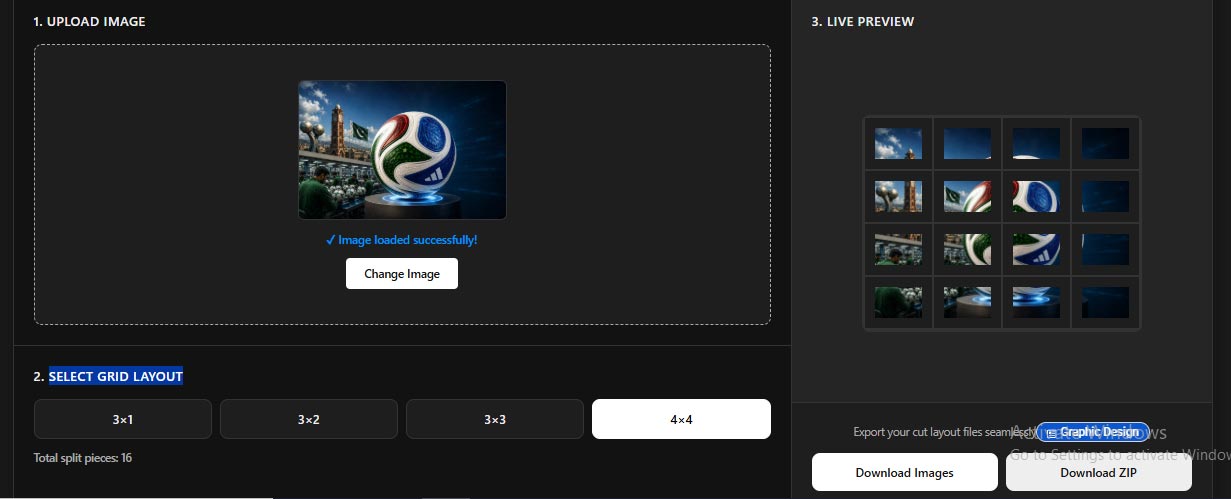
Advanced option for highly detailed images and complex visual arrangements. Perfect for intricate patterns and highly detailed visual stories across sixteen posts.
Intuitive functionality that requires no technical expertise. Simply drag your image into the designated area and start creating your Insta Grid.
Maintains image quality throughout the splitting process. Ensures each Instagram Grid Piece remains sharp, clear, and visually appealing when posted.
Comprehensive Instagram Grid Preview that shows exactly how your split image will appear on your profile. Make adjustments before finalizing.
Download all pieces in a single compressed file. Convenient for batch uploading and managing multiple grid segments.
Supports both JPG And PNG formats covering the most common image types used for Instagram content.
Processes high-resolution images while preserving color accuracy, contrast, and detail in every segment.
Fully responsive design that works seamlessly on both desktop and mobile devices. Create grids anywhere, anytime.
Clean, professional results without any branding interference. Your grid posts look purely like your content.
Completely accessible without registration. Start creating your Instagram Layout immediately without sign-up hassles.
Each grid piece is numbered sequentially for easy upload order identification. Upload in reverse order for perfect profile display.
Intelligently handles different image proportions to ensure optimal fit with your chosen Grid Layout.

You can access Instagram Grid Maker directly from Gdgraphic.Com and start creating stunning grid layouts immediately:
Click the “Choose Image” button, or simply drag and drop your file into the designated area. Supports JPG and PNG formats with file sizes up to 10MB.
Choose from four predefined grid patterns: 3×1, 3×2, 3×3, Or 4×4. Each option clearly displays the resulting number of pieces.
A comprehensive preview shows exactly how your split image will appear on your profile. Verify the overall composition and visual flow before finalizing.
Choose between individual images or zip archive download. The downloaded images are perfectly sized and formatted for Instagram — ready to be posted in sequence.
Upload your Grid Pieces to Instagram in reverse order (starting with the highest number) to ensure they display correctly on your profile.
Begin with high-quality source images to maintain clarity in each segment. Low-resolution images will appear pixelated when split across multiple posts.
Position key visual elements to appear effectively in multiple grid pieces. Consider how important details will distribute across the split sections.
Ensure consistent lighting and color balance throughout the image. Inconsistent colors across grid pieces can disrupt visual harmony.
Consider uploading all Grid Pieces within a short timeframe to maintain consistency. Gaps between uploads can break the visual flow.
Always review your Grid Preview before downloading. This helps identify any alignment issues or composition problems early.
After uploading, visit your profile to verify the Instagram Grid displays correctly. Make adjustments if any pieces are out of order.
Develop Grid Concepts around specific themes, colors, or visual motifs. This approach creates consistency while allowing for creative variation across your feed.
Use The Instagram Grid Maker to create narratives that unfold across your feed. Include step-by-step tutorials, progressive reveals, or chronological stories.
Create Grids that invite interaction, such as puzzles, hidden messages, or “find the difference” challenges. These engaging formats increase profile engagement.
Create anticipation and excitement by revealing new products across a multi-post Grid. Each piece can show different angles, features, or context.
Use The Grid Format to communicate your brand story, values, or mission through visual narratives that unfold across multiple posts.
Create panoramic landscapes or collage-style travel memories that form complete pictures across your Instagram Feed.
The most common mistake is uploading grid pieces in numerical order instead of reverse order. Always start with the highest numbered piece.
Low-quality source images result in pixelated, blurry grid segments. Always use high-resolution images for best results.
Large gaps between uploads can break the visual flow. Try to upload all grid pieces within a short timeframe.
Skipping the preview step can lead to unexpected results. Always review how your Grid will look before downloading.
Complex images with too much detail can become confusing when split. Simple, clear images often work best for Instagram Grids.
Our Instagram Grid Maker Supports both JPG And PNG formats covering the most common image types used for Instagram content.
Yes, the current file size limit is 10mb to ensure optimal performance and processing speed.
No account creation is required. Our tool is completely accessible without registration, making it convenient for immediate use.
Our tool numbers each Grid Piece sequentially. Upload them to Instagram in Reverse Order (starting with the highest number) to ensure they display correctly on your profile.
Yes, simply return to the tool with your source image and adjust the Grid Layout as needed. The process is completely flexible and reversible.
Yes, our Instagram Grid Generator is fully responsive and works seamlessly on both desktop and mobile devices.
We offer 3×1, 3×2, 3×3, And 4×4 grid layouts to suit various creative needs and project requirements.
Your Instagram Profile is one of your most valuable digital assets. In a platform where visual appeal directly impacts engagement and growth, strategic Instagram Grid Layout Planning is no longer optional — it’s essential. Our comprehensive Instagram Grid Maker provides the tools, flexibility, and simplicity you need to create stunning visual experiences that capture attention, increase engagement, and convert visitors into loyal followers.
Whether you’re planning your first Insta Grid or looking to enhance your existing Instagram Strategy our tool offers the perfect combination of power and accessibility. Once your grid is ready, generate a matching QR code for your bio link to drive traffic straight to your latest post. Experience the difference that professional Instagram Grid Planning can make.
Ready to transform your Instagram profile? Visit Gdgraphic.Com today to access our free Instagram grid maker and start creating stunning grid layouts that captivate your audience!